Check your work before merging with screenshot testing.
Stop tedious manual UI checks. VizDiff automatically captures screenshots of your Storybook components and integrates with GitLab merge requests to prevent visual regressions before they reach production. Ensure UI consistency across changes with minimal effort.
How VizDiff Works
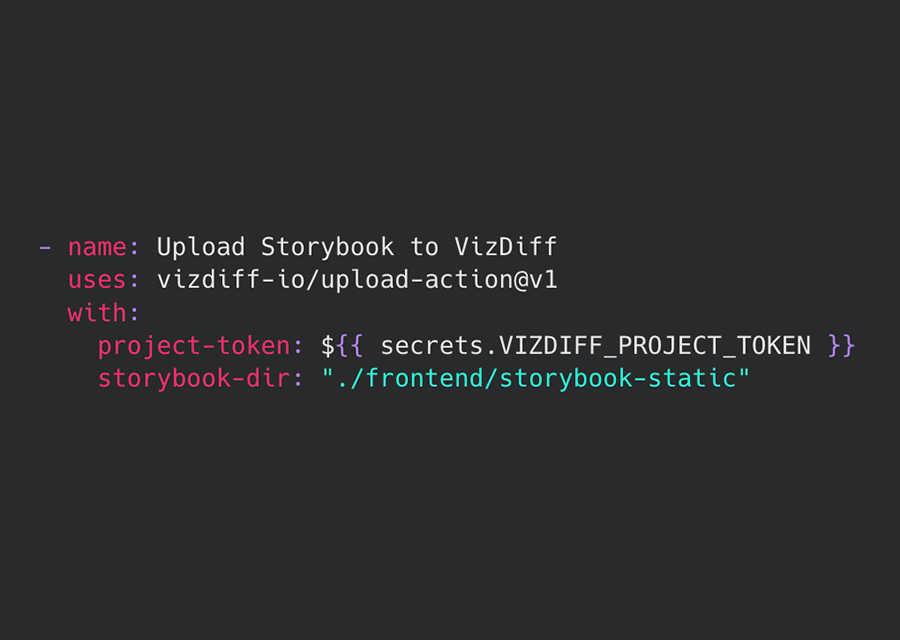
1. Connect Repository
Link your GitLab project and upload your first Storybook build. Setup takes minutes.

2. Automate Screenshots
VizDiff captures screenshots automatically on every commit via your GitLab CI pipeline.
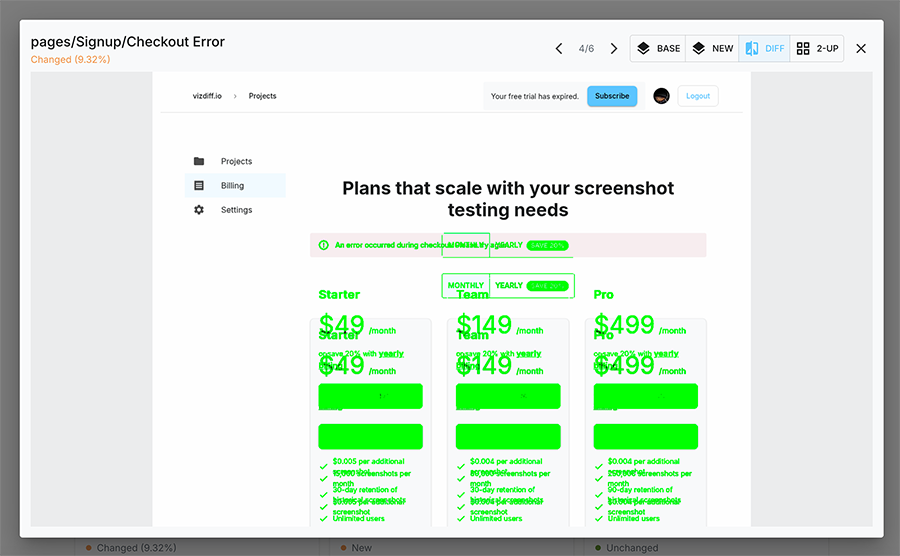
3. Review Diffs
Visually compare changes and approve or reject with a streamlined user interface.
Key Features
Storybook Integration
Seamlessly tests components from your existing Storybook setup.
GitLab Merge Requests
Review and approve visual changes directly in your Merge Requests.
Pixel-Perfect Diffing
Clearly highlights visual differences for quick identification.
Team Collaboration
Share baselines and review results easily across your team.